The parallax effects with jQuery
Article
1 Demo

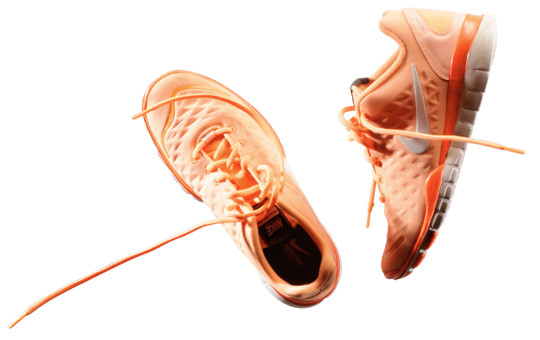
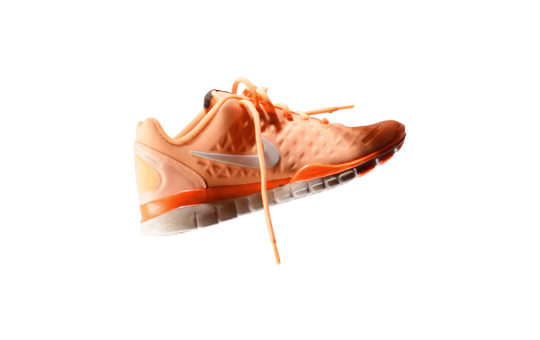
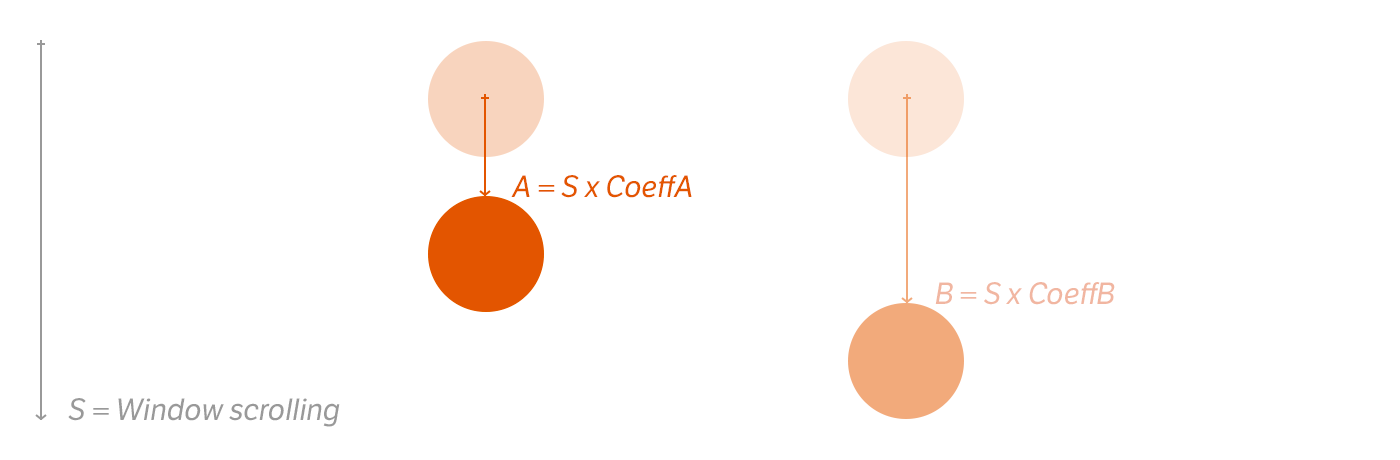
Note that there are visually 3 movements: The window scroll, the first shoes pair and the second one.
Shoes pair movements are independent, each one has a single coefficient for the scrolling movement
2HTML & CSS code
/* CSS */
.section { width:540px; height:500px;
background:url(images/bg_freext.jpg) no-repeat #000; }
.section .inner { width:540px; height:500px;
background:url(images/fg_freext.png) no-repeat; }
<div class="section">
<div class="inner">
<!-- your content here -->
</div>
</div>
So we need two div with background for the parent, and a transparent foreground for the child.
3 JQuery code
// The plugin code
(function($){
$.fn.parallax = function(options){
var $$ = $(this);
offset = $$.offset();
var defaults = {
"start": 0,
"stop": offset.top + $$.height(),
"coeff": 0.95
};
var opts = $.extend(defaults, options);
return this.each(function(){
$(window).bind('scroll', function() {
windowTop = $(window).scrollTop();
if((windowTop >= opts.start) && (windowTop <= opts.stop)) {
newCoord = windowTop * opts.coeff;
$$.css({
"background-position": "0 "+ newCoord + "px"
});
}
});
});
};
})(jQuery);
// call the plugin
$('.section').parallax({ "coeff":-0.65 });
$('.section .inner').parallax({ "coeff":1.15 });
To run the plugin, we need 3 parameters: the coefficient, when the plugin starts and when the plugin stops. After, we bind a function to the scrolling evenement. This function update the background-position-y by multiplying the value of the scroll by the coefficient.
Easy, right?
Pingback: Tweets that mention The parallax effects with jQuery | Franck Maurin -- Topsy.com
You might want to look at John Resig’s latest post abuot running code in a window scroll event I think it would be a good idea to implement it here as used with any more than a few objects could cause a serious slowdown in ability to scroll the page. Otherwise this is a cool effect and a nice clean plugin.
Hey Franck,
Great writeup on Nike’s parallax effect – the presentation of your post is great as well. I also dug through Nike’s JS when I was working on my site redesign (I have a simpler, but much simpler parallax effect) to see if they did anything to improve performance. Like Stuart mentioned above, scroll events fire *a lot* and I’m interested in Resig’s idea of frequent polling. If the effect is smooth enough, it would free up a lot of cycles in the code.
Franck:
Thanks for the note as well. We were just discussing it internally here on how Nike’s site was built. We had tried some prelim comps just to show a rough demo, and this will help. Jason, good call on saving the scroll events. Wondered how you’d do it without it calling a zillion times.
Brilliant write up! How could this be used for multiple sections?
The same question like Sean. Can’t get this brilliant snippet working for more sections.
It’s amazing!
Pingback: Les effets de parallaxe [WebTrends] | ikomeo Design
Hi,
Great description there!
Is this all the code you need? I’m presuming there is a couple of pages of js that’s missing or is that really it?
I’m very new to jquery so forgive me if this is a silly question…
Thanks,
Sam
Sean Dooley & Schriebmann : We need edit the code because we can’t rebind the scroll.
Sam : Yes, you need only jQuery library.
Pingback: GRPH Biblioteca de Recursos » Blog Archive » The Parallax Effect
great guide ! tnks a lot
Pingback: Parallax Tutorials. Roundup from DesignFloat | DesignFloat Blog
Pingback: Webstandards-Magazin Nr. 11 | Tobias Scheible
Sean Dooley and Schriebmann.
As i can see, we just need to call the plugin for using with another objects, like this:
$(‘.section’).parallax({ “coeff”:-0.65 });
$(‘.section .inner’).parallax({ “coeff”:1.15 });
$(‘.section .anotherObject’).parallax({ “coeff”:1.65 });
$(‘.section .justAnotherClass’).parallax({ “coeff”:2.15 });
Good luck with that
Really great work! Thank you man.
As we need it in the x direction i extended your plugin code with the option “direction”.
So you’re able to use it in any direction you want.
The plugin code is as follows:
/**
*
*/
// The plugin code
(function($){
$.fn.parallax = function(options) {
var $$ = $(this);
offset = $$.offset();
var defaults = {
“start”: 0,
“stop”: offset.top + $$.height(),
“coeff”: 0.95,
“direction” : “y”
};
var opts = $.extend(defaults, options);
return this.each(function(){
$(window).bind(‘scroll’, function() {
windowTop = $(window).scrollTop();
if((windowTop >= opts.start) && (windowTop <= opts.stop)) {
newCoord = windowTop * opts.coeff;
switch (opts.direction) {
case "y" :
$$.css({
"background-position": "0 "+ newCoord + "px"
});
break;
case "x" :
$$.css({
"background-position": newCoord + "px 0"
});
break;
}
}
});
});
};
})(jQuery);
and calling is:
$(function() {
//call the plugin
$(".section").parallax({ "coeff":-0.65 });
$(".section .inner").parallax({ "coeff":1.15, "direction" : "x" });
$(".section .inner2").parallax({ "coeff":-1.15, "direction" : "x" });
});
Maybe anyone need this also.
Pingback: 20 Mind-Boggling Parallax Website Design And How To Make One
Pingback: 20 Mind-Boggling Parallax Website Design And How To Make One | Graphic Design
Pingback: 20 Mind-Boggling Parallax Website Design And How To Make One | Free Web Design Tucson
Pingback: Downgraf – Design weblog for designers » Examples of Parallax Effect in Web Design & Tutorials
Pingback: jQuery Parallax - XHTMLforum
Pingback: 20 Mind-Boggling Parallax Website Design And How To Make One | HowDoDesign
Pingback: Controlling window movement by mouse | PHP Developer Resource
Pingback: The parallax effects with jQuery | Belkina’s Weblog
Pingback: Parallax Web Design Concept – a trending concept | Inventrium
Pingback: Un site entre illusion et langage web | Com@Visée...